OpenVPN Connect
- 4.6
- Rating
- 10.00M
- Installs
- Free
- Price

 Analysis by App-foxy
When several people in a household need secure access to the same private network, a VPN app can become less about changing locations and more about keeping work, study, and personal browsing separate from an untrusted connection. I tested OpenVPN Connect with that practical situation in mind, and I found an app that makes sense for managed VPN access rather than casual, one-tap privacy browsing. It is a free Tools app from OpenVPN, designed for use with Access Server and CloudConnexa®.
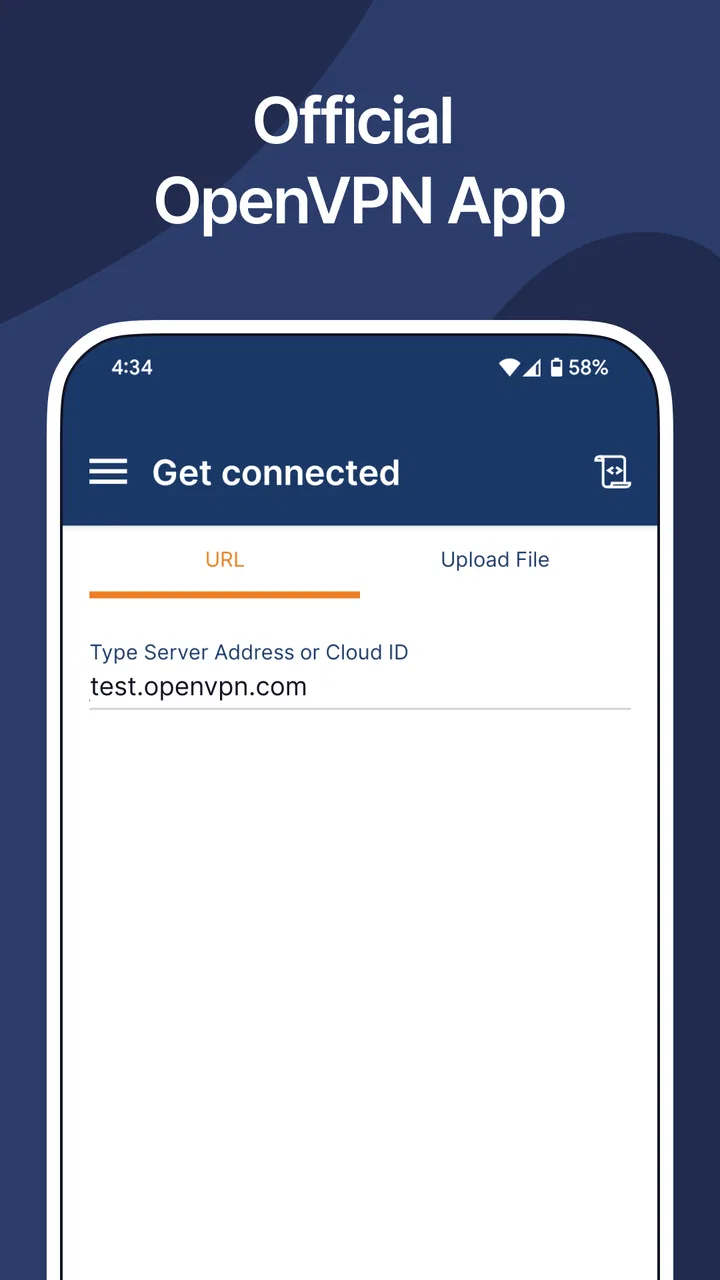
That distinction matters from the first screen. This is not the kind of VPN where I simply choose a country and press a large connection button. The app expects a VPN service, profile, or organizational setup behind it. If your household already uses an OpenVPN-based workplace, school, or private server, it can be a useful client. If you are looking for an effortless consumer VPN subscription with built-in server shopping, this is probably the wrong starting point.
How it fits a shared household device
A realistic example is a family tablet used by one adult for remote work, another person for online study, and a teenager for ordinary browsing. The important question is not whether one person can connect, but whether everyone understands whose VPN profile is active and what that connection is intended to protect. OpenVPN Connect can participate in that arrangement, but it does not turn a shared device into a neatly managed family system.
You May Also Like

 Blood Strike: 2.5 Anniversary
Blood Strike’s Loadouts Turn Every Drop Into a Tactical Gamble
A close look at Blood Strike’s custom loadouts: how fast access to signature weapons reshapes its battle royale rhythm, rewards preparation, and narrows the gap between fights.

 Pandora - Music & Podcasts
Pandora’s Music Is Easy to Start, but Harder to Recover
Pandora’s strength is its low-effort path from a seed to a station. Its weak spot is how much confidence it asks you to place in connection, setup, and quiet recovery.

 8 Ball Pool
 Is Built on Rivalries, Rematches, and Routine
A close look at the rivalries, rematches, shared routines, and unanswered safety questions that turn a quick pool match into a persistent mobile community.

 Samsung Music
’s Quiet Strength Is Playing What You Already Own
Its reach comes less from spectacle than from dependable access to a personal library. That simplicity is both the app’s strongest retention engine and its ceiling.

 AccuWeather: Weather Radar
AccuWeather Review: A Quick, Clear Forecast for Everyday Decisions
For everyday plans, the best forecast is the one you can understand quickly. AccuWeather makes rain timing, radar, and local conditions easy to act on, with a few trade-offs.

 Hill Climb Racing
Why Hill Climb Racing Still Turns Crashes Into One More Run
A tiny car, a bumpy hill and one more upgrade: Hill Climb Racing keeps resurfacing because its simple chaos makes every near-miss feel personal.
More From Our News Desk



I would treat each imported VPN profile as belonging to a specific person or purpose. A work profile should be clearly labeled as work, while a private home-server profile should have a different name. That simple naming habit prevents a common household mistake: someone connects to the wrong endpoint and assumes the internet is protected in the way they expect.
The app is especially useful when the household has a trusted administrator who controls the VPN service. That person can provide the correct connection details, explain when the connection should be used, and remove old profiles when a device changes hands. Without that coordination, the app may feel confusing because its job is to connect to an existing VPN environment, not to explain the entire network behind it.
For shared use, I would avoid treating a single active connection as proof that every person is covered equally. The device may be connected, but the person using it still needs to know which profile is active and whether the connection is appropriate for the task. This is a small operational detail, yet it is more important than the app’s simple interface.
One useful household routine is to keep a short note near the device with the profile names and their purpose, without writing down passwords or private keys. “Work,” “home server,” and “school” are much clearer than leaving several profiles with similar technical names. OpenVPN Connect is capable of handling a professional-style configuration, but it does not replace the human organization needed around a shared device.
What the app is actually for
The developer, OpenVPN, positions this app around Access Server and CloudConnexa®, and that focus explains much of my experience. It acts as the connection client on the device. The network owner or administrator remains responsible for the service, access rules, and profile distribution. In other words, installing the app is only one part of the process.
This makes it a strong fit for a household where one person works for an organization that already uses OpenVPN technology. The employee may receive a profile from an administrator, import it, and connect when working away from the office. Another member of the household can use the same device later, but should not assume that the work connection is a general-purpose household VPN.
It is less suitable for someone who expects the app itself to provide a catalog of public VPN locations. I would also hesitate to recommend it to a person who has never received a profile or connection instruction. The app can be free to install, but the service it connects to may be managed separately. That difference between a free client and a complete VPN product is easy to miss.
The current version is 3.7.1, and the app supports devices running iOS 9 or later. Those details make it accessible on older Apple hardware, which may be useful for a shared household device that is no longer new. Still, compatibility alone does not make an old device ideal for sensitive work. I would keep the operating system updated where possible and avoid relying on an old shared tablet for tasks that demand a high level of security.
Setup boundaries that prevent mistakes
My first recommendation is to identify the source of the VPN profile before opening the app. If it came from an employer, ask that organization’s administrator for the correct installation steps. If it came from a private household server, confirm who maintains that server and how access should be revoked. This is safer than accepting a profile from an unknown source simply because it has a familiar-looking name.
After installation, the main friction is not the download itself but understanding the configuration. OpenVPN Connect is a client, so the quality of the setup depends heavily on the profile and the service it represents. A technically correct import can still be the wrong choice if it belongs to another user, an old workplace account, or a retired server.
I would create a small checklist before connecting:
- Confirm who supplied the profile.
- Give the profile a clear, human-readable name.
- Check whether it is intended for this particular device.
- Know how to disconnect before handing the device to another person.
- Remove obsolete profiles instead of leaving them available indefinitely.
That last step is particularly relevant in a household. A former tenant, visiting relative, or previous employee may have left behind a profile that still appears usable. OpenVPN Connect does not make old access automatically harmless. If a profile is no longer needed, I would remove it through the app and follow the service owner’s process for revoking access where appropriate.
Another boundary concerns credentials. A shared device should not become a place where several people casually exchange authentication details. If the organization uses its own sign-in process, each person should follow that organization’s rules rather than copying credentials into a family chat or a handwritten note. The app can provide the connection interface, but account responsibility remains with the service owner and the individual user.
Coordinating work, study, and personal browsing
Once multiple people use the device, coordination becomes more valuable than technical cleverness. I would agree on a simple habit: before starting a sensitive task, check the active profile; after finishing, disconnect if the device will be handed to someone else. This is not about distrusting family members. It is about preventing one person’s network context from silently carrying over to the next user.
For example, a parent might connect to a company profile for a video meeting and then leave the tablet on the kitchen table. A student may pick it up later and browse without realizing that the device is still connected through the company network. The student may not have done anything wrong, but the household has lost a clear boundary. A visible profile name and a deliberate disconnect routine reduce that risk.
I also found it helpful to separate “connection problems” from “internet problems.” If the app cannot establish the VPN, that may involve the profile, authentication, server, or network being used. If the VPN connects but a particular website or service behaves strangely, the cause may be the remote network’s rules rather than the app itself. This distinction saves time when deciding whether to contact OpenVPN, the organization’s administrator, or the local internet provider.
In a home with several users, I would not promise that every application behaves identically through a managed VPN. Some services may react differently when traffic passes through an organization’s network, and some work environments may intentionally restrict access. The right response is to follow the profile owner’s instructions rather than repeatedly changing settings at random.
There is also a practical performance trade-off. A VPN adds another network path, so connection speed and responsiveness can vary depending on the service and the current network. I would use the VPN when the task requires it, especially for work access, but I would not leave it active automatically for every casual activity unless the administrator specifically recommends that approach. This keeps the household routine easier to understand and makes troubleshooting less ambiguous.
Age, trust, and account boundaries
The app carries an Everyone content rating, but that should not be confused with a family-management feature. It means the software itself is presented for a broad audience; it does not mean a child should receive an adult’s workplace profile or private server credentials. In my view, the age question here is mainly about responsibility and supervision rather than app content.
A teenager using a shared device may be perfectly capable of pressing the connection button, yet still not understand why a work profile should not be used for unrelated browsing. I would explain the purpose of each profile in plain language and keep access limited to the people who genuinely need it. The app should not be used as a substitute for separate user accounts, device-level restrictions, or a conversation about online safety.
Trust also works in both directions. The person who controls the VPN service should explain what the connection is for, while other household members should know when they are using a managed network. That transparency is especially important when the profile belongs to an employer or school. OpenVPN Connect provides the technical path, but it does not establish the household’s privacy expectations.
I would be cautious about installing a private profile on a device that regularly changes owners. A profile can be convenient for the original user but inappropriate for guests or younger family members. If the device is shared widely, a dedicated device for work or a separate user account may be a better solution than relying on everyone to remember the correct VPN state.
On the other hand, the app can be a sensible choice for an adult household member who needs occasional access to a managed network from an iPhone or iPad. The free price removes one barrier to trying the client, and the broad device compatibility can help when the available hardware is older. The real requirement is not technical expertise at an advanced level; it is having a legitimate profile and a clear reason to use it.
Where it beats ordinary VPN alternatives
Compared with consumer VPN apps, OpenVPN Connect gives me a more direct relationship with the network administrator. That is valuable when the goal is reaching a private organization-managed environment rather than selecting a public server for general browsing. The app fits a controlled access workflow, where profiles and permissions come from a known source.
Compared with manually configuring a VPN through the operating system, a dedicated OpenVPN client is more practical when the service already provides OpenVPN profiles. The app keeps the connection workflow in one place and makes the intended configuration easier to identify. For a household member following workplace instructions, that can be less error-prone than translating technical settings into several separate system fields.
However, consumer alternatives are often easier for people who want a subscription, a list of locations, and minimal involvement from an administrator. If your main goal is casual protection on public Wi-Fi and you do not have an Access Server or CloudConnexa® setup, a consumer-focused VPN may offer a clearer path. OpenVPN Connect is not worse in that situation; it is simply aimed at a different job.
The same is true of built-in device VPN settings. Those settings may be preferable when a company gives precise instructions for a different protocol or when the device owner wants the operating system to manage the connection centrally. I would choose OpenVPN Connect when the organization specifically supplies an OpenVPN configuration and expects this client to be used.
Its rating of 4.6 from around 211 thousand ratings and more than ten million installs suggests that the app has broad adoption, but popularity should not decide the setup for you. The meaningful question is whether the service behind it matches your needs. A highly rated client still cannot create a private network profile for a household that does not have one.
Small habits that make the experience safer
One non-obvious habit is to treat profile names as part of the security workflow, not just as labels. A name such as “Company remote access” tells a shared-device user more than a server address or an automatically generated identifier. It reduces the chance of connecting to the wrong environment when several profiles are installed.
A second useful habit is to test the connection before an important meeting or deadline. Do not wait until you are outside the office, on unfamiliar Wi-Fi, and already late. Connect while you still have time to confirm that the profile works and to contact the administrator if authentication or access fails. This is particularly worthwhile for an older shared device that may have been unused for weeks.
Third, keep a written recovery plan that contains support instructions rather than secrets. Note who manages the profile, what the profile is called, and what to do if the connection fails. Do not store private credentials in that note. This turns a household handoff into a predictable process without exposing sensitive account information.
Finally, remove profiles when a person no longer needs access. This is more effective than merely hiding the app or assuming that an unused profile cannot matter. A shared device has a long memory: old configurations can remain available long after the original reason for installing them has disappeared.
My household verdict
After using it with a shared-device mindset, I see OpenVPN Connect as a capable client for households that already have a legitimate OpenVPN-based service and someone who can explain the configuration. It is free, rated for Everyone, and maintained by OpenVPN, with a long presence in the Tools category since its release on October 16, 2012. Those facts make it a credible choice for managed access, not a mysterious utility from an unknown developer.
I would recommend it to an adult who needs to connect to an organization’s Access Server or CloudConnexa® environment, especially when the alternative is manually entering complex connection details. I would also recommend it for a technically comfortable household where profiles are clearly named, users understand when to connect, and old access is removed promptly.
I would skip it if I wanted a beginner-friendly public VPN service with built-in location choices, a simple subscription flow, or family-oriented controls. I would also avoid putting several unrelated profiles on a device used by young children or casual guests. In that situation, separate accounts, a dedicated work device, or a different kind of VPN product would create clearer boundaries.
My final impression is positive but deliberately specific: OpenVPN Connect is best understood as a doorway to a managed network, not as the whole VPN experience. Once that expectation is correct, its role becomes clear. It can make professional or private access convenient on mobile devices, but the household still needs sensible profile naming, honest communication, and careful account ownership. Used that way, it is a practical tool rather than a one-button privacy promise.
FAQs for OpenVPN Connect
01What is OpenVPN Connect used for?
OpenVPN Connect is a VPN client that allows users to securely connect to a VPN server. It encrypts your internet traffic, providing privacy and protection against hackers, especially when using public Wi-Fi. This ensures that your online activities remain confidential and prevents unauthorized access to your data.
02Is OpenVPN Connect free to use?
OpenVPN Connect is free to download and use, but it requires a VPN server to connect to, which may involve additional costs. Some VPN service providers offer free trials or limited free services, but for full functionality and privacy features, purchasing a subscription is often necessary.
03How do I set up OpenVPN Connect on my device?
Setting up OpenVPN Connect involves downloading the app from the Google Play Store or Apple App Store, installing it on your device, and then importing a VPN configuration file from your VPN provider. This file contains the necessary credentials and server details to establish a secure connection.
04Can OpenVPN Connect be used on all devices?
OpenVPN Connect is compatible with a wide range of devices, including Android and iOS smartphones, tablets, and even Windows and macOS computers. However, some older devices may not support the latest app version, so check compatibility with the specific OS version before downloading.
05Is OpenVPN Connect safe and secure to use?
Yes, OpenVPN Connect is designed with strong encryption protocols and security features, providing a high level of safety for your online activities. It's widely recommended for its robust security measures, making it a trusted choice for protecting personal data and ensuring anonymous browsing.
Pros
- Strong encryption for secure browsing.
- Cross-platform compatibility.
- User-friendly interface.
- Reliable connection with minimal drops.
- Supports multiple VPN protocols.
Cons
- Requires a subscription for full features.
- May slow down internet speed slightly.
- Limited customer support options.
- Initial setup can be complex for beginners.
- Some servers may have connection issues.

OpenVPN Connect
Gallery